
What Is a WMS (Warehouse Management System)?
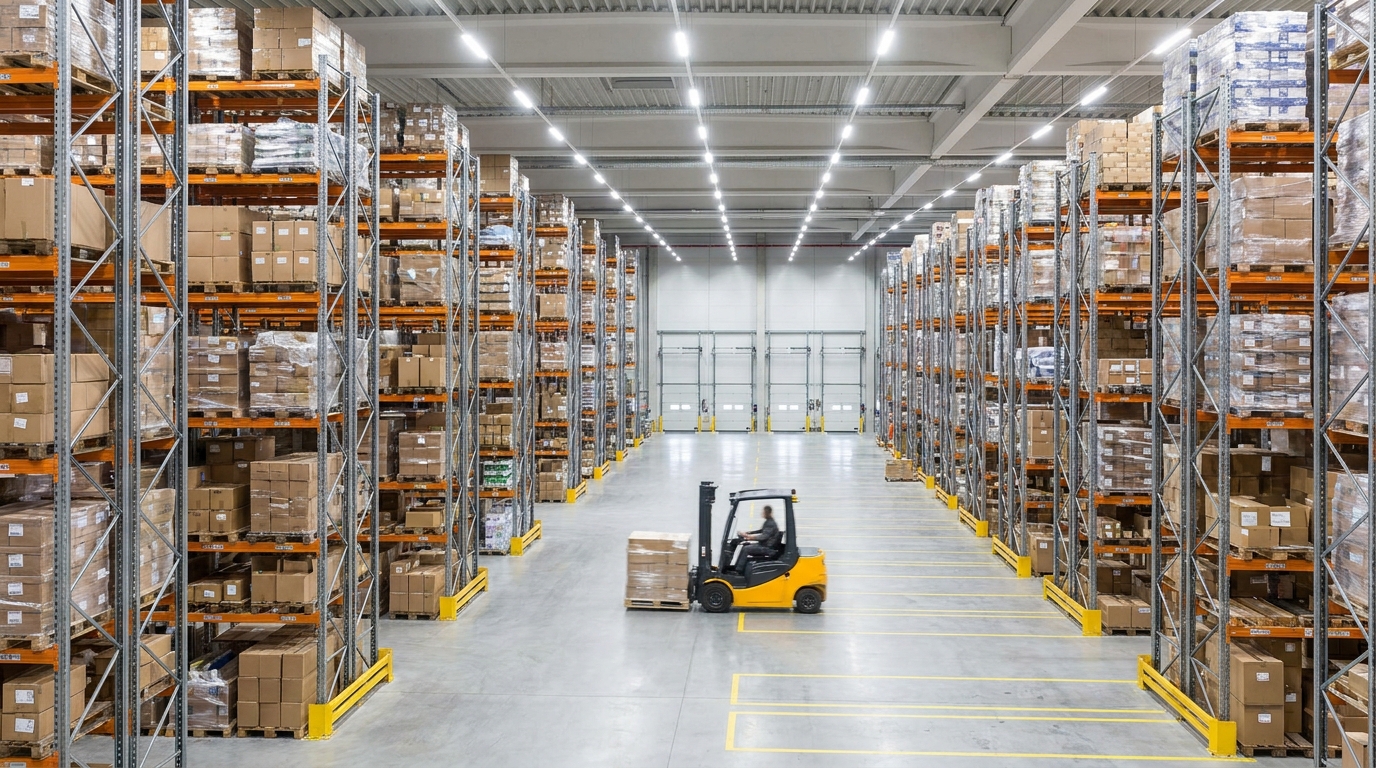
A warehouse management system (WMS) is software that directs the physical work inside a warehouse: receiving inbound freight, deciding where each item is put away, guiding workers along efficient pick paths, keeping inventory accurate through cycle counts, and confirming what ships out the door. Put simply, a WMS runs one building's operations at the bin, pallet, and unit level. It is not your accounting system and not your carrier-booking system, which is why shippers often confuse it with an ERP or a TMS. This guide covers what a WMS does, how it differs from those two, and when a shipper or 3PL genuinely needs one.
Key takeaways
- A WMS manages the day-to-day work inside one warehouse: receiving, putaway, slotting, picking, packing, and cycle counts.
- Its core job is inventory accuracy, keeping recorded stock matched to what is physically on the shelf, so orders ship correctly.
- A WMS is not an ERP (company-wide finance and orders) or a TMS (transportation once freight leaves the dock); most operations run all three and connect them.
- You need your own WMS when you operate a warehouse in-house and manual tracking starts causing mispicks or stock that no longer matches the shelf.
- If a 3PL fulfills for you, it runs the WMS and gives you a portal, so you usually do not buy your own.

What does a warehouse management system do?
A WMS controls the sequence of physical tasks that turn inbound freight into shipped orders, and it tracks every unit through that sequence in real time. Rather than a worker deciding where to stash a pallet or which order to grab next, the system assigns the work and records the result. The core functions are:
- Receiving: checking inbound shipments against the purchase order or ASN, flagging shortages and damage, and logging stock into the system the moment it arrives.
- Putaway and slotting: directing where each item goes, and optimizing those locations (slotting) so fast-moving SKUs sit near pack stations and heavy items stay at floor level.
- Inventory accuracy: keeping the recorded quantity in each bin matched to the physical count, which is the single most important thing a WMS does.
- Pick paths: sequencing an order picker's route through the racks so they walk the least distance, and batching multiple orders into one trip where it makes sense.
- Cycle counts: scheduling small, rolling counts of specific bins throughout the year instead of shutting the whole building for one annual physical count.
- Packing and shipping confirmation: verifying the right items are in the box and marking the order fulfilled so downstream systems know it left.
The thread running through all of it is inventory accuracy. When the system says a bin holds 40 units and the shelf holds 38, orders get short-shipped, replenishment fires late, and customer promises break. A WMS exists to close that gap and keep it closed. As a worked example, say a picker is sent to bin 12-B for the last unit of a SKU that the system shows as in stock; if the count is wrong, that order stalls, a customer service ticket opens, and someone walks the aisles to find real stock. Disciplined cycle counts inside a WMS are what prevent that from becoming a daily event.
How is a WMS different from an ERP?
An ERP (enterprise resource planning system) runs the whole company's finance, purchasing, and order data, but it usually treats a warehouse as a single stock number. A WMS operates one level down, at the bin and pallet. The ERP knows you have 5,000 units of a SKU across the business; the WMS knows 1,200 sit in aisle 12 bin 4 and the rest are inbound. Most operations run both: the ERP owns the customer order and the money, and the WMS executes the physical fulfillment and reports actual counts back. Run a busy warehouse on an ERP's inventory module alone and you typically lose directed putaway, optimized pick paths, and real-time bin-level accuracy, which is where mispicks creep in.
How is a WMS different from a TMS?
A WMS manages inventory and labor inside the four walls of the warehouse; a transportation management system (TMS) manages what happens once freight leaves the dock. A TMS handles carrier selection, rate shopping, load building, routing, and shipment tracking, whether that freight moves by LTL, full truckload, or parcel. The clean dividing line is the dock door: the WMS ends where the trailer is loaded, and the TMS begins there. The two hand off to each other, because the WMS confirms an order is packed and ready, and the TMS books and tracks the carrier that moves it. If your questions are about picking speed and stock accuracy, that is WMS territory; if they are about freight cost and delivery time, that is a TMS. Our companion guide on what a transportation management system is covers that side in depth.
WMS vs ERP vs TMS: how do the three compare?
The simplest way to keep them straight is by scope: an ERP runs the business, a WMS runs the building, and a TMS runs the freight. They overlap at the edges and share data, but each owns a different job.
| Dimension | WMS | ERP | TMS |
|---|---|---|---|
| Primary scope | One warehouse's operations | Whole-company finance and operations | Freight in transit |
| Core job | Receiving, putaway, picking, inventory accuracy | Accounting, purchasing, order and master data | Carrier selection, rating, routing, tracking |
| Level of detail | Bin, pallet, and unit inside the building | Aggregate stock and financial records | Shipment, lane, and carrier |
| Where it operates | Inside the four walls | Across the enterprise | From the dock door onward |
| Typical user | Warehouse ops and pickers | Finance, procurement, leadership | Shipping and logistics team |
Plenty of platforms bundle two or all three, and an ERP may include a light WMS module. That is fine for smaller operations, but a dedicated WMS still tends to win on directed workflows and accuracy once volume grows.
When does a shipper or 3PL need a WMS?
You need your own WMS when you operate a warehouse in-house and manual tracking has started to fail, usually showing up as mispicks, stockouts, or physical counts that no longer match the system. A spreadsheet works at low SKU count and low order volume. The pressure builds as those numbers climb, especially once you run more than one location, because coordinating stock and orders across sites by hand becomes error-prone fast. Watch for these signals:
- Pickers hunt for stock that the system says is there but the shelf does not have.
- Inventory accuracy drifts, and you rely on a disruptive annual count to reset it.
- Order volume outgrows what people can track manually without mistakes.
- You add a second warehouse and need one view of stock across both.
- Onboarding new warehouse staff takes weeks because the process lives in people's heads.
For a third-party logistics provider, a WMS is core infrastructure rather than a nice-to-have, because the 3PL is running many clients' inventory in shared or dedicated space and needs bin-level accuracy and client-by-client reporting. That has a practical implication for brands: if a 3PL handles your fulfillment, it already runs the WMS and gives you a portal or data feed, so you usually do not buy your own. You would only need one for the fulfillment you keep in-house, which is a common situation for brands running a hybrid of in-house and outsourced fulfillment. If you are weighing whether to keep warehousing in-house at all, compare providers on our warehousing and 3PL directory before committing to buy and staff a system.
What does a WMS cost, and how is it deployed?
WMS cost ranges widely by deployment model, so treat any single quote as a starting point, not a benchmark. There are broadly two models. Cloud, subscription platforms (SaaS) bill recurring fees, often per user, per order, or per site, and can start in the low hundreds to a few thousand dollars a month for a small operation, scaling with volume. On-premise, licensed enterprise systems carry a larger upfront license plus a meaningful implementation project, aimed at high-throughput or highly customized operations. Beyond the software, budget for implementation, integration with your ERP and shipping tools, barcode scanners and other hardware, and staff training. Because the real cost depends on order volume, SKU count, and site count, price it against your own numbers. You can sanity-check the surrounding operating costs of a facility with our warehouse cost calculator, and the U.S. Small Business Administration has general guidance on planning and financing a technology investment.
How do you choose a WMS?
Choose a WMS by matching it to your real operation, not to a feature list. Start from your volume, SKU profile, number of sites, and the systems it must connect to, then weigh a short list against those. Key questions for a vendor:
- Does it integrate cleanly with your ERP, shipping tools, and sales channels, and how is that integration maintained?
- Can it handle your peak order volume and your number of warehouse locations without slowing down?
- What does implementation actually involve, how long does it take, and who does the configuration work?
- Does it support the workflows you run, such as kitting, lot or expiry tracking, and returns processing?
- What hardware (scanners, mobile devices, printers) is required, and is it included?
Facility layout and energy use shape total cost too, and the U.S. Environmental Protection Agency's Energy Star program publishes guidance on warehouse efficiency worth factoring into a longer-term site decision. When you have narrowed the field and know whether you are building in-house capability or outsourcing, browse vetted providers on our logistics company directory to compare options side by side.
Frequently asked questions
What is a WMS in simple terms?
A warehouse management system (WMS) is software that directs the physical work inside a warehouse: where inventory is put away, how workers pick orders, and whether the recorded stock matches what is actually on the shelf. It manages one building's operations, not accounting or transportation.
What is the difference between a WMS and an ERP?
An ERP runs company-wide finance, purchasing, and order data, but treats the warehouse as a single stock number. A WMS operates at the bin and pallet level inside the building, directing putaway, pick paths, and cycle counts. Most operations run both and connect them, so the ERP owns the order and the WMS executes the fulfillment.
What is the difference between a WMS and a TMS?
A WMS manages inventory and labor inside the four walls of a warehouse. A transportation management system (TMS) manages what happens once freight leaves: carrier selection, rating, routing, and tracking. A WMS ends at the dock door and a TMS begins there.
Do I need a WMS if I use a 3PL?
Usually no. A third-party logistics provider runs its own WMS and gives you a portal or feed showing inventory and order status. You would only need your own WMS if you operate a warehouse yourself, or run a hybrid where some fulfillment stays in-house.
How much does a WMS cost?
It ranges widely by deployment. Cloud, subscription WMS platforms commonly bill per user or per order and can start in the low hundreds to a few thousand dollars a month, while enterprise on-premise systems carry larger license and implementation costs. Treat any single quote as a starting point and price it against your order volume and site count.
When is a WMS worth it for a growing brand?
A WMS earns its cost when manual tracking starts causing mispicks, stockouts, or inventory counts that no longer match the shelf, usually as SKU count, order volume, or the number of warehouse locations climbs. Below that threshold, a spreadsheet or the inventory module in an ERP is often enough.
Ready to compare providers?
Search the directory by service and location, save options to your shortlist, and send a clear RFQ.
Related guides
What Is Freight Audit and Payment?
Freight audit and payment checks every carrier invoice against your contracted rate and the bill of lading, corrects overcharges, pays the carrier, and captures the cost data.
How to Write a Logistics RFP
A section-by-section guide to writing a logistics RFP that gets accurate, comparable quotes from 3PLs, freight brokers, and carriers.
Reverse Logistics: Returns, Recalls, and Recycling
A complete guide to reverse logistics: the backward flow of returns, recalls, repairs, redistribution, recycling, and disposal, plus how to recover value and choose a provider.